Accenture Video Solutions:
Design Systems for LLM Consumption
As lead design systems architect, my team and I worked cross-functionally alongside the AVS development teams, owning the foundation process of the design system end-to-end. This included managing C-suite level stakeholder and introducing modern AI-based design workflows.
Collaboration with the dev teams was constant and directly shaped the system. Regular feedback sessions and async communication kept my design approach aligned with what they needed. For example, when developers found Claude Code struggling to combine individual components into page layouts, I adopted a stricter atomic design approach, keeping Claude's output predictable.
All visuals, workflows, and design system content shown in this case study are recreations built independently to illustrate my process and approach. No actual files, screenshots, or proprietary content from Accenture's design system are included. Component QA is my own plugin, built by me outside of Accenture, but used on this project to help with QA.

- Role
- Design Systems Architect
- Date
- 2026
- Team
- 3 designers, 10+ devs
- Platform
- TV, Mobile, Desktop
01 // Context
A next-generation streaming platform
Accenture Video Solutions is Accenture's award-winning commercial streaming platform with over 100 million monthly viewers. Because several Accenture products would rely on this design system, it needed one visual identity that adapted well across desktop, mobile, and TV. As such, modularity and ease of use were its guiding principles from the start.
02 // Design system
Creating the token architecture
AI was the backbone of my work. I drafted the token architecture through Claude, reviewed and polished the output, and moved forward once it hit WCAG compliance and DTCG standards.
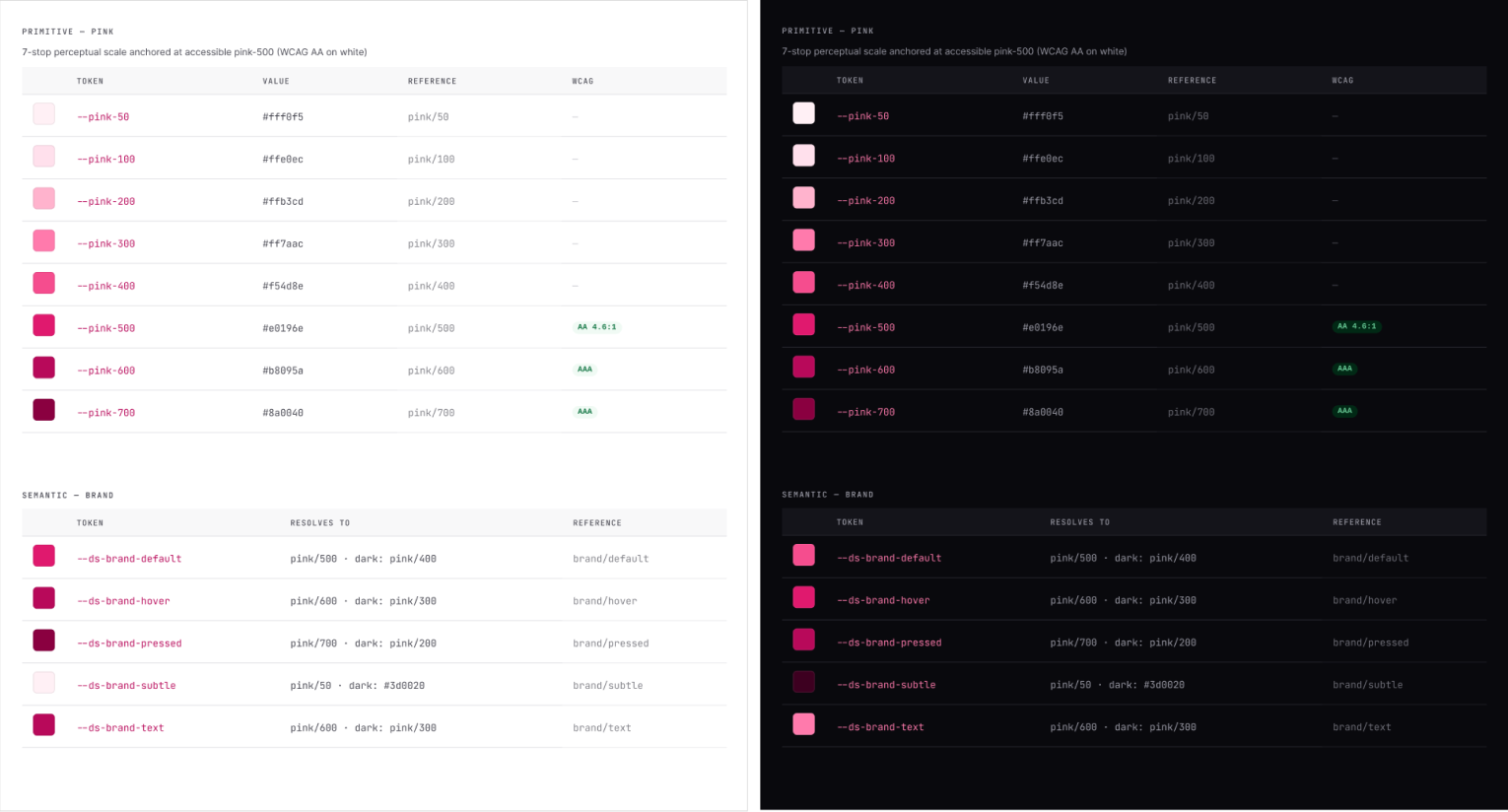
Using Tokens Studio
I then imported the tokens into Token Studio as JSON and pushed the code into Figma's own variables, using Figma Make with the Claude Opus 4.8 model to generate a UI kit. Once the kit was generated, all components my team built were be bound to the design tokens.
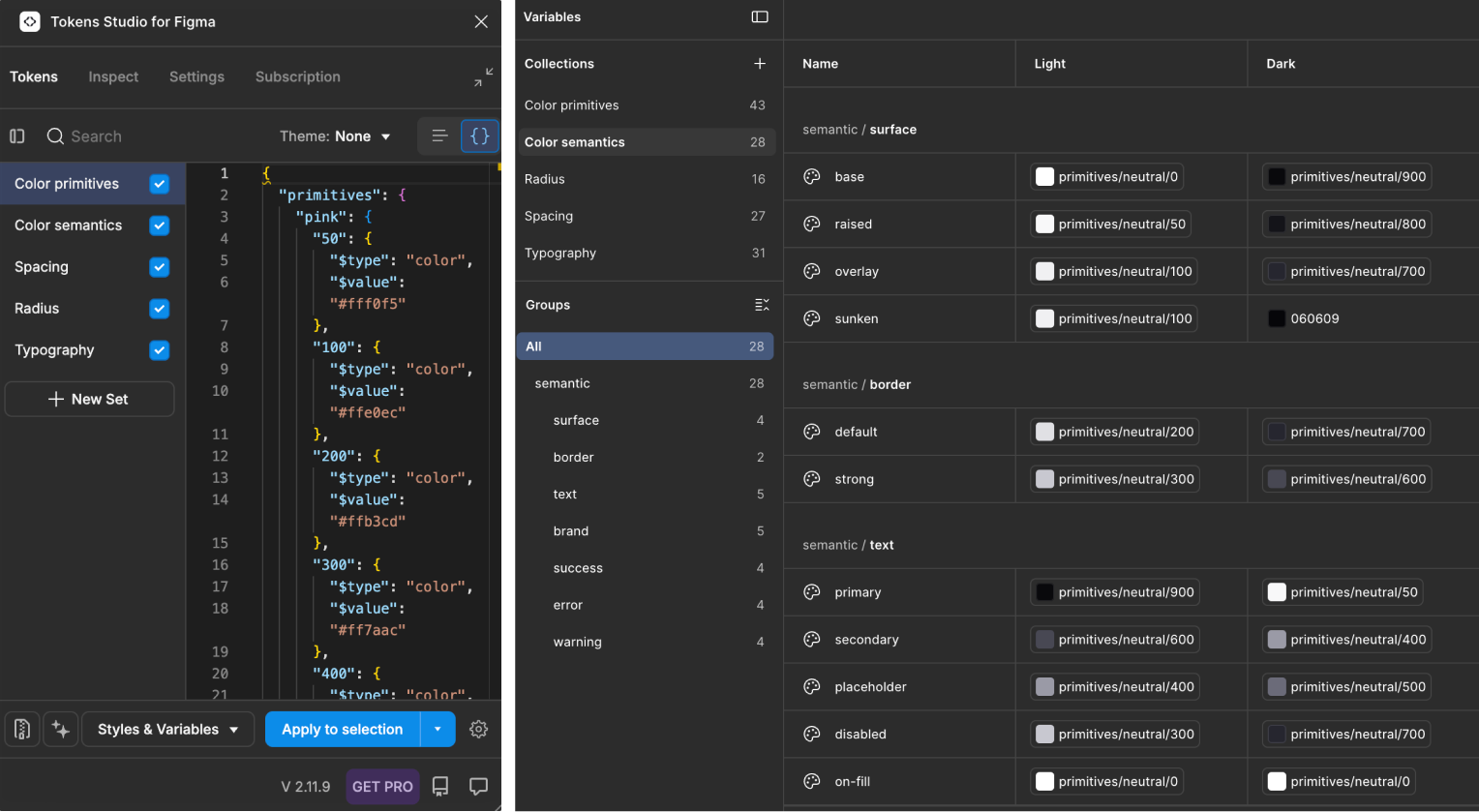
Establishing the design system
AI generated components quickly, but they still needed significant manual refinement. Specs were sometimes off, responsiveness wasn't always perfect, and auto-layout often needed manual correction. So building the design system included hours of weekly meetings dealing with QA issues.
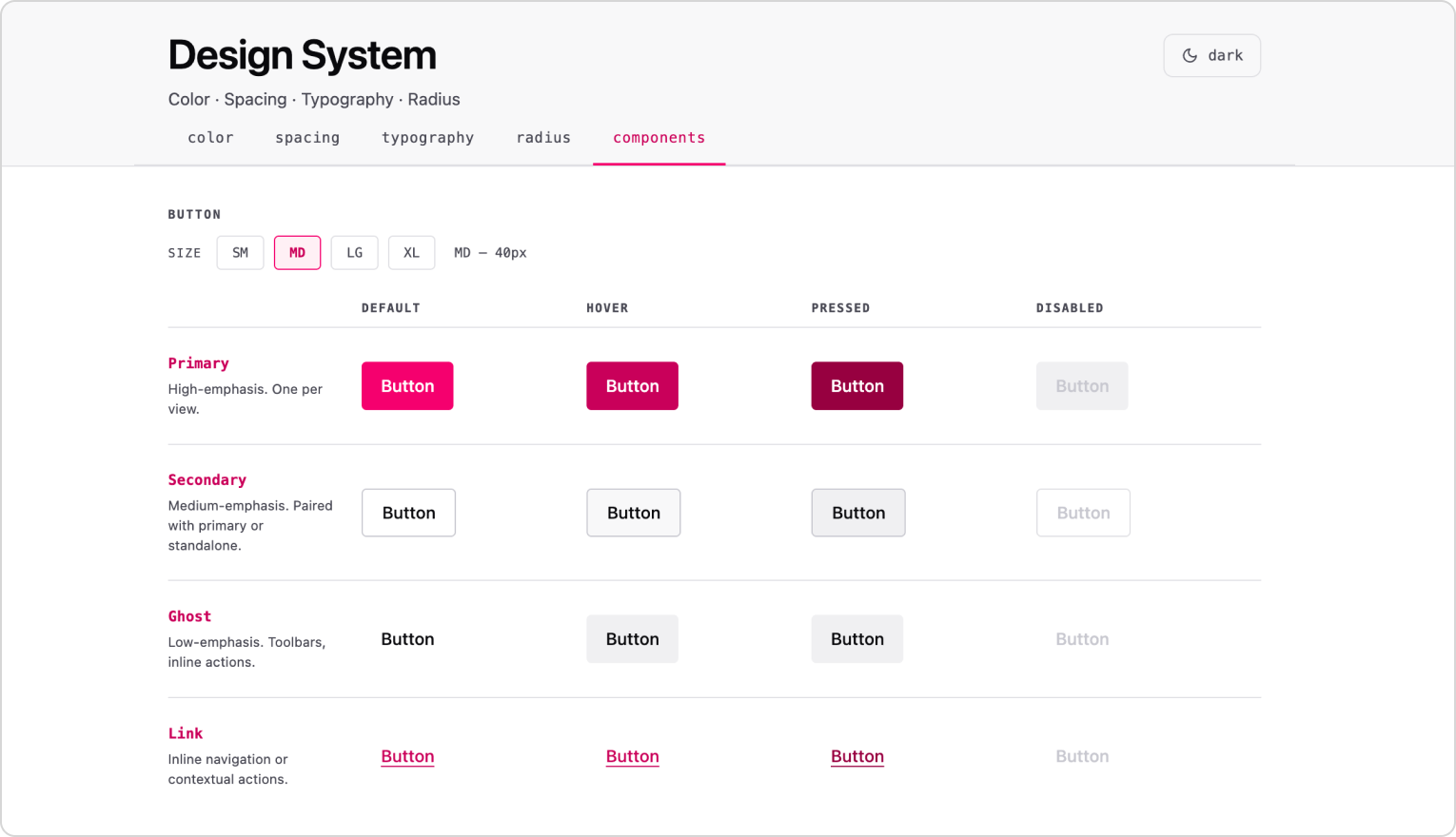
03 // QUALITY ASSURANCE
Component QA - Solving our QA issues using agents
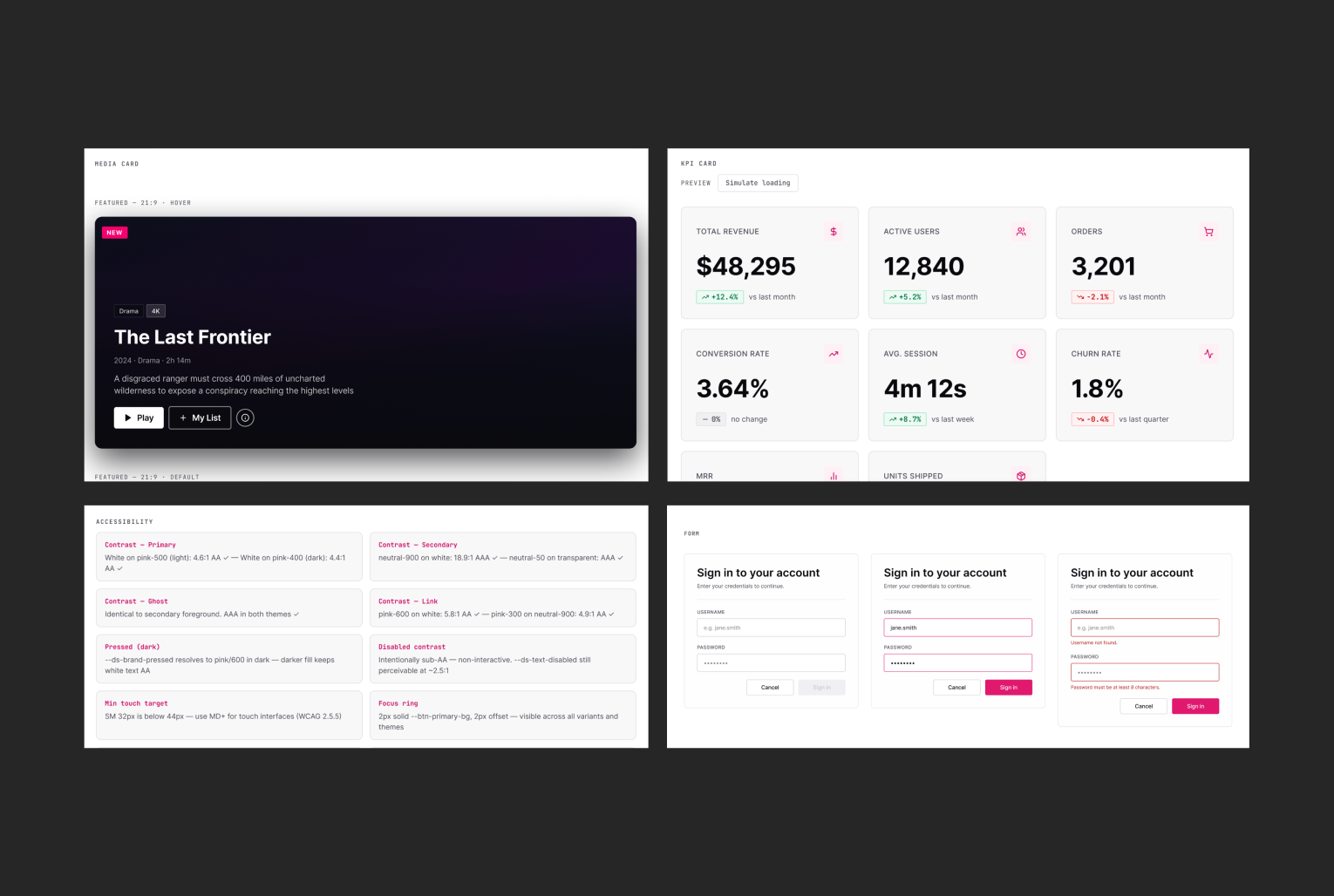
I eventually began exploring ways of automating our design QA, ultimately relying on Figma Agents to prompt the Component QA plugin into existence. The plugin connected Figma's own nodes for token values (gap, padding, etc.) to the design system's tokens, and assigned labels such as errors and warnings by category (accessibility, spacing rhythm, etc.).
For example, if a component had a typo in its name, you'd see a warning and be offered a one-click fix. If a WCAG AAA violation occurred on the other hand, you'd get a mandatory error requiring a manual fix.
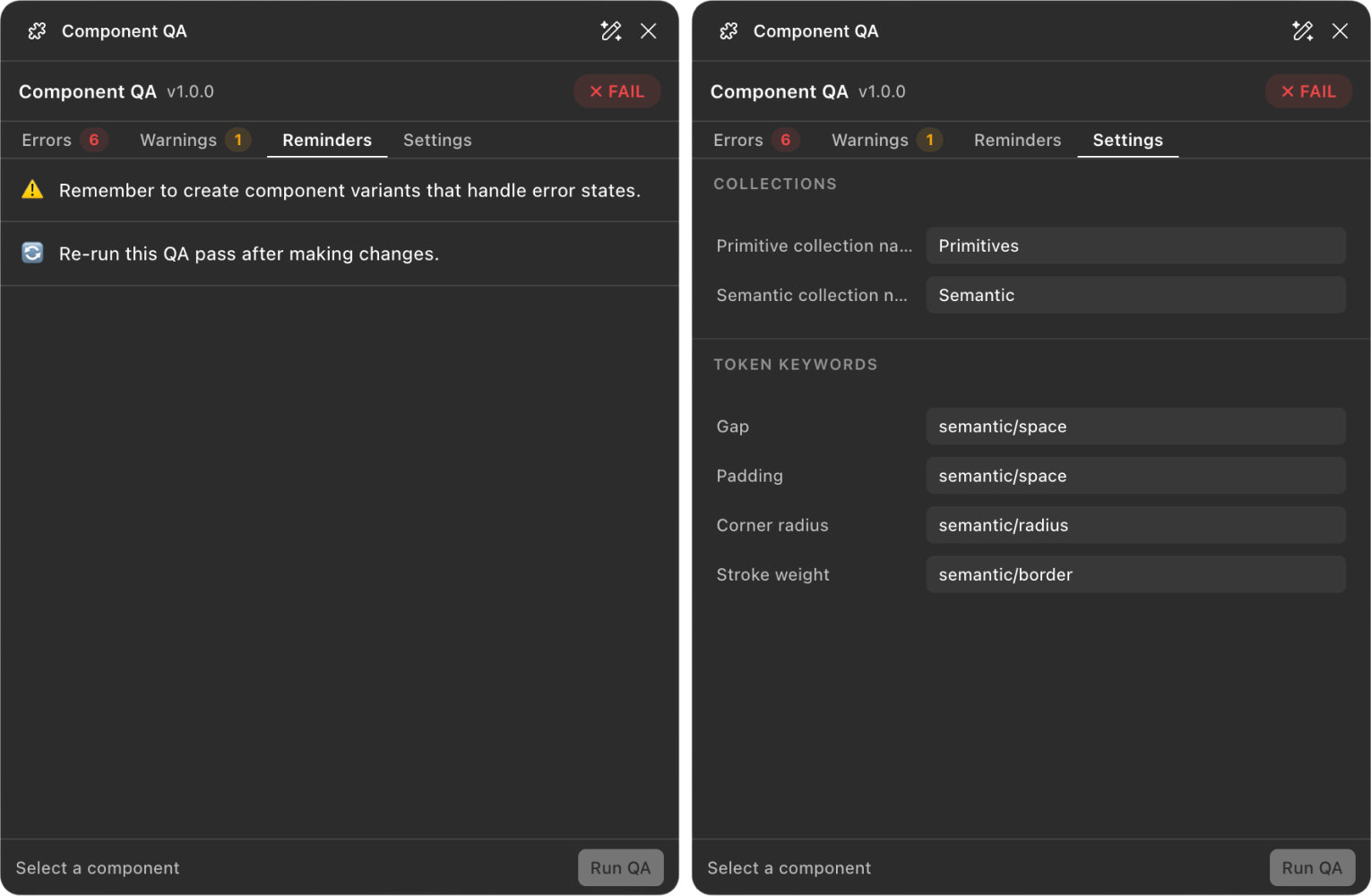
04 // OPTIMISATION
Automatic documentation via Claude
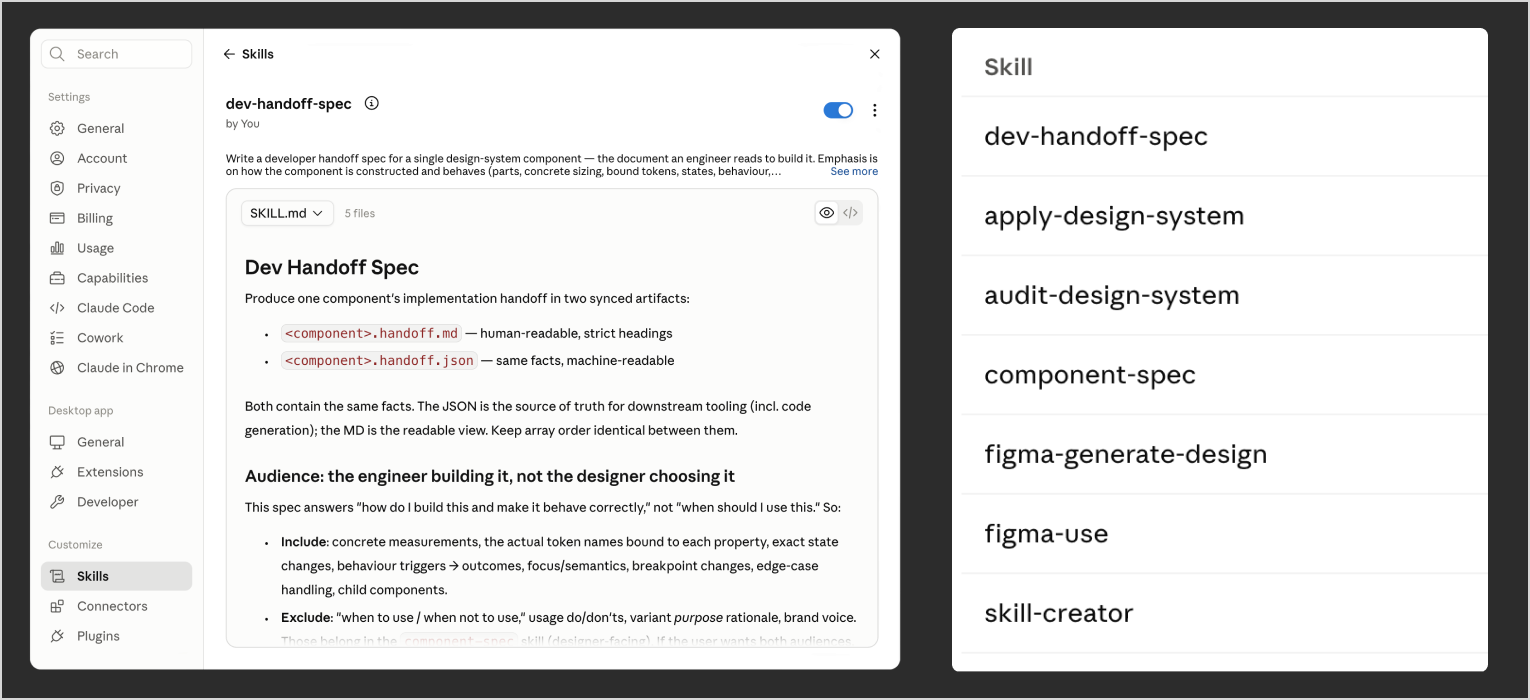
Using skills and routines, I configured Claude to generate and maintain documentation automatically, tailored for the needs of both the design and the engineering teams.
Lowering AI credit drain and the value of .md files
As we were scaling rapidly, we relied a lot on Figma Make for convenience. But Figma only gave us 3000 credits per person, so AI credits eventually became a problem. I traced the biggest drains back to two sources: attached files like PDFs and DOCX, and poor prompt refinement.
To address this, I established a process where we converted PDFs, DOCX, and XLSX files into markdown before feeding them to AI, and used .md files to create preset configuration summaries. I also introduced prompt refinement and optimization practices. Together, these changes significantly reduced our AI credit usage.
05 // KEY TAKEAWAYS
Component highlights
An example of how my team does QA
Conclusions
I think what AI is doing right now is breaking down the barriers between what can be imagined and what can be built, allowing designers to spend less time on processes and more time on solving problems. For me and my team for example, that meant going from daily QA meetings to almost zero and delivering a production-ready framework of the design system in less than two weeks.